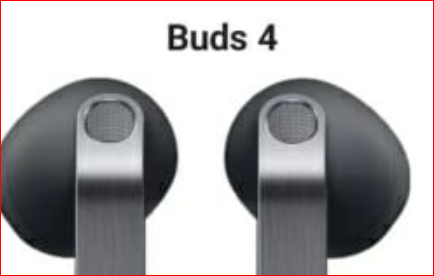
Galaxy earbuds Not Auto-Connecting? Bluetooth Fixes to Try First
Galaxy earbuds should normally connect as soon as the case opens. If they do not, or if Bluetooth keeps dropping, the cause is often saved pairing data, outdated firmware, low battery, or interference rather than a completely broken pair of earbuds.

1. Start with the quick fixes
Put the earbuds back in the case, close it for a few seconds, then open it again. Turn Bluetooth off and on from the phone, and restart the phone if the connection still does not appear. This simple reset often clears a temporary connection conflict.
2. Reconnect through the Galaxy Wearable app
Open the Galaxy Wearable app, select the earbuds, disconnect them, and connect again. If the same earbuds were previously connected to another phone, tablet, laptop, or TV, remove the old pairing from those devices as well.
3. Remove and re-pair the earbuds
If automatic connection still fails, go to the phone’s Bluetooth settings, forget the earbuds, and register them again. For some Galaxy Buds models, a full earbud reset can also help, but the reset method differs by model, so check the device guide before pressing touch controls for a long time.
4. Check firmware, battery and interference
Bluetooth can become unstable when the earbud battery is low, when firmware is outdated, or when the phone is near strong Wi-Fi routers, microwaves, or crowded wireless devices. Update through Galaxy Wearable and test the connection within about 10 meters of the phone.
5. When replacement may be worth considering
If connection drops continue after re-pairing, reset, firmware update and testing on another phone, the battery or Bluetooth module may be aging. In that case, compare repair cost with a newer model that supports faster pairing and stronger app integration.
#GalaxyEarbuds #BluetoothFix #WirelessEarbuds #GalaxyWearable #EarbudsTroubleshooting
이 글은 제휴활동의 일환으로, 구매가 발생할 경우 일정액의 수수료를 제공받을 수 있습니다.